PROJETO STACK
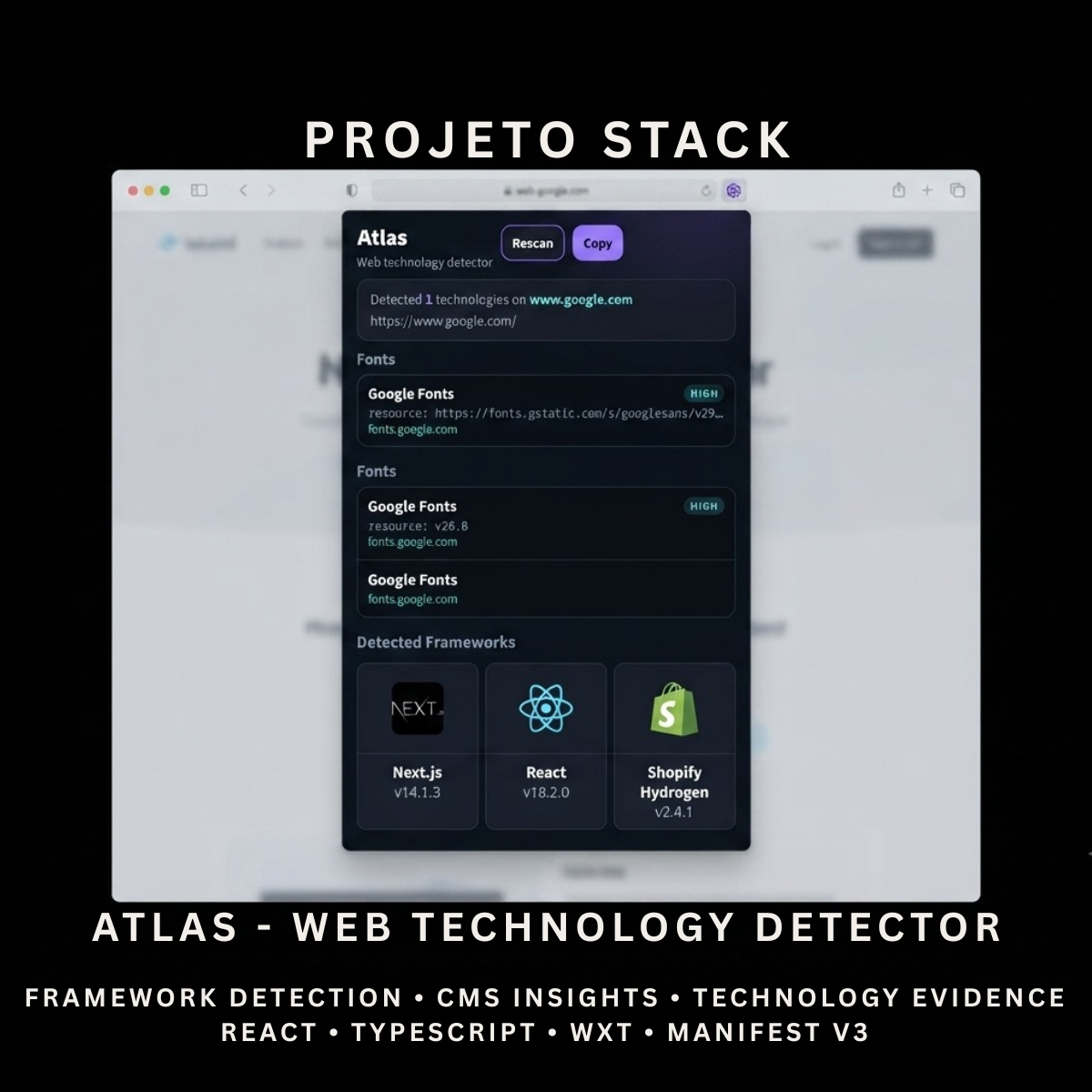
Atlas - Web Technology Detector
Atlas - Web Technology Detector
Couldn't load pickup availability
Identify the technologies used on a webpage through one clean browser extension.
Atlas is a React and TypeScript web technology detector featuring active-page scanning, confidence ratings, evidence details, category grouping, manual rescanning, and copyable reports. It provides a complete source-code foundation for developer tools, website-auditing products, research utilities, and client extension projects.
Perfect For
✓ Web Developers
✓ Frontend Developers
✓ Software Engineers
✓ Technical Researchers
✓ Website Auditors
✓ Digital Agencies
✓ Sales Intelligence Tools
✓ Competitor Research Products
✓ Browser Utility Products
✓ Agency Client Projects
Why Choose Atlas?
✓ Detect technologies used on the active webpage
✓ Analyse scripts, resources, links, cookies, metadata, and page markup
✓ Probe supported JavaScript globals
✓ Group results into clear technology categories
✓ Display high, medium, and low confidence ratings
✓ Show detection evidence for each result
✓ Link users to official technology websites
✓ Rescan the active webpage instantly
✓ Copy a complete technology report
✓ No external detection service required
✓ Clean and organised source code
✓ Easy to customise and extend
✓ No recurring subscription fees
What’s Included
Your download includes:
📦 Complete React & TypeScript Source Code
📦 Chrome Manifest V3 Production Build
📦 Web Technology Detector Popup
📦 Active-Page Signal Collection
📦 JavaScript Global Probing
📦 Technology Rule Matching
📦 Confidence Classification
📦 Detection Evidence Display
📦 Technology Category Grouping
📦 Manual Rescan Action
📦 Copy Report Action
📦 Official Technology Links
📦 Empty and Error States
📦 Background Service Worker
📦 Runtime Content Script
📦 Technology Rules Library
📦 Detection Utilities
📦 Extension Icons & Assets
📦 WXT Configuration
📦 TypeScript Configuration
📦 Package Configuration
📄 Documentation (README.md)
Key Features
✓ Automatic Scan When Opened
✓ Manual Rescan
✓ Active Webpage Detection
✓ Script Source Analysis
✓ Stylesheet Link Analysis
✓ Resource Timing Analysis
✓ Cookie Name Analysis
✓ Meta Generator Detection
✓ HTML Pattern Detection
✓ DOM Selector Detection
✓ JavaScript Global Detection
✓ Duplicate Result Prevention
✓ High Confidence Ratings
✓ Medium Confidence Ratings
✓ Low Confidence Ratings
✓ Evidence-Based Results
✓ Technology Category Grouping
✓ Technology Count Summary
✓ Website Hostname Display
✓ Active Page URL Display
✓ Official Technology Website Links
✓ Copyable Detection Report
✓ Clipboard Failure Feedback
✓ No-Result State
✓ Detection Error State
Supported Technology Categories
Atlas includes rules across:
✓ JavaScript Frameworks
✓ JavaScript Libraries
✓ UI Frameworks
✓ Content Management Systems
✓ eCommerce Platforms
✓ Analytics Tools
✓ Tag Managers
✓ Content Delivery Networks
✓ Security Technologies
✓ Hosting & PaaS Platforms
✓ Web Fonts
✓ Mapping Technologies
✓ Payment Platforms
✓ Advertising Technologies
✓ Video Platforms
✓ Build Tools & Bundlers
Included Technology Detection Rules
The uploaded source includes detection rules for 51 technologies, including:
✓ React
✓ Next.js
✓ Vue.js
✓ Nuxt.js
✓ Angular
✓ Svelte
✓ SvelteKit
✓ jQuery
✓ Lodash
✓ GSAP
✓ Axios
✓ Bootstrap
✓ Tailwind CSS
✓ Material UI
✓ Chakra UI
✓ Ant Design
✓ WordPress
✓ Drupal
✓ Shopify
✓ WooCommerce
✓ Magento
✓ Webflow
✓ Wix
✓ Squarespace
✓ Ghost
✓ Google Analytics 4
✓ Universal Analytics
✓ Google Tag Manager
✓ Segment
✓ Mixpanel
✓ Hotjar
✓ Microsoft Clarity
✓ Meta Pixel
✓ Cloudflare
✓ Cloudflare Bot Management
✓ Fastly
✓ Akamai
✓ Vercel
✓ Netlify
✓ Amazon CloudFront
✓ Google Fonts
✓ Adobe Fonts
✓ Google Maps
✓ Mapbox
✓ Stripe
✓ PayPal
✓ YouTube
✓ Vimeo
✓ Webpack
✓ Vite
✓ RequireJS
Technology Stack
Built using modern browser-extension technologies:
✓ React 19
✓ TypeScript
✓ WXT
✓ Manifest V3
✓ Browser Tabs API
✓ Browser Scripting API
✓ Browser Runtime Messaging
✓ Runtime Content Scripts
✓ Performance Resource Timing API
✓ DOM Query APIs
✓ Clipboard API
✓ Rule-Based Pattern Matching
✓ Component-Based Architecture
✓ Modern CSS
✓ Modern Folder Structure
Performance Features
Designed for fast active-page inspections:
✓ One-Pass DOM and Resource Collection
✓ Runtime Content-Script Injection
✓ Main-World Global Probing
✓ Limited Resource Collection
✓ Limited HTML Sampling
✓ Limited Element Sampling
✓ Duplicate Detection Prevention
✓ Local Rule Matching
✓ No External API Requests
✓ No Remote Detection Server
✓ Lightweight Popup Interface
✓ Confidence-Based Result Sorting
✓ Reusable React Components
✓ Clean TypeScript Implementation
✓ Modern Manifest V3 Architecture
✓ Easy Rule Expansion
✓ Easy Branding Customisation
✓ Scalable Source-Code Structure
How It Works
- Download and extract the project files.
- Install the project dependencies.
- Run the development environment or generate a production build.
- Load the generated extension folder into your browser.
- Open a standard webpage you want to inspect.
- Open Atlas from the browser toolbar.
- Allow the extension to collect supported webpage signals.
- Review detected technologies grouped by category.
- Check each result’s confidence level and evidence.
- Rescan the page when needed.
- Copy the completed technology report.
- Customise the branding, rules, categories, interface, icons, and functionality.
- Build and publish the completed extension when ready.
Browser Compatibility
Verified for:
✓ Google Chrome
Compatibility may be possible after testing with:
✓ Microsoft Edge
✓ Brave
✓ Opera
Firefox and Safari compatibility are not included or verified in the uploaded package.
License
Your purchase includes:
✓ Lifetime access to the purchased source code
✓ Commercial use for personal and client projects
✓ Full customisation rights
✓ Unlimited personal and client projects
You may not:
✗ Resell the original source code
✗ Redistribute the files
✗ Share the files publicly
✗ Repackage the source code as a competing digital product for resale
Instant Digital Download
No physical product will be shipped.
Immediately after purchase, you’ll receive access to download the complete web-technology detector source code, Chrome production build, and documentation so you can begin creating your own browser inspection tool.
Important Note
Atlas uses rule-based detection and identifies technologies from visible webpage signals such as scripts, resources, metadata, cookies, HTML patterns, and JavaScript globals.
A detected result does not guarantee that a technology is actively powering every part of the website. Some technologies may be:
✗ Loaded but unused
✗ Hidden behind server-side rendering
✗ Removed during production optimisation
✗ Blocked by privacy settings
✗ Obscured by bundling or proxy services
✗ Undetectable from the browser
Some results may also be missed or assigned lower confidence when websites rename assets, hide implementation details, block scripts, or use custom builds.
Atlas does not include:
✗ Server-Side Technology Detection
✗ Complete Website Crawling
✗ Historical Technology Tracking
✗ Domain Monitoring
✗ Cloud Report Storage
✗ User Accounts
✗ Guaranteed Detection of Every Technology
✗ Browser Marketplace Publication
PROJETO STACK - Premium software templates and digital products built for modern businesses.
Share